Recording a podcast in 2026 looks nothing like it did a few years ago. The equipment wall that used to scare beginners away, mixers, boom arms, audio interfaces, soundproof rooms, is still optional for a pro setup, but the software side has collapsed. AI handles what used to be a full post-production day: noise removal, leveling, filler word cleanup, even regenerating muffled words from a studio-quality voice model.
Best AI Podcast Recording Software 2026
The shift is real. Adobe’s free Enhance Speech tool makes a laptop mic sound like a broadcast booth. Riverside and Descript record every guest locally then cut, transcribe, and produce the episode in the same browser tab. Cleanvoice removes every “um” and “uh” in one pass. The tools I recommended in the original version of this post in 2021 are either gone (RIP Anchor) or have been leapfrogged by AI-native competitors.
I’ve rebuilt this list around that reality. Below: four professional recording and editing DAWs, five AI-native platforms that handle recording plus production, three mobile options worth bothering with, and the hosts and cleanup tools you’ll pair with them. Pricing is current for April 2026. I’ll flag where I have direct experience and where I’m working from public reviews.
AI-Native Podcast Recording Platforms
These record and produce in the same tool. Most are browser-based, record each guest’s audio locally (so bad Wi-Fi doesn’t wreck the take), and use AI to handle the cleanup, transcription, and repurposing work.
1. Riverside.fm
Riverside is where most remote-first shows have landed. Each participant’s local audio and video are recorded in-browser and uploaded progressively, so you get studio-quality files even over a spotty connection. The editor on top has matured a lot: AI transcription, filler word removal, an “eye contact” fix that quietly corrects where you’re looking, and Magic Clips that cuts short vertical clips from long-form episodes.
Price: Free tier with 2 hours recording and watermarks. Starter $15/month, Pro $24/month (annual billing), Business custom. The Pro plan is where the AI tools, 4K video, and 15 hours of monthly recording actually live.
What’s good:
- Progressive local uploads mean no “your guest’s audio got corrupted” nightmares.
- Transcript-based editing works, delete a sentence from the text, the audio cuts with it.
- Magic Clips surface the sharpest 30-to-90-second moments automatically.
- Publishes directly to Spotify, Apple, YouTube.
Where it frustrates: The free tier’s 2-hour cap burns through fast on a single long interview. The Co-Creator AI agent is behind higher plans. And the locally-recorded files are huge, you’ll want decent disk space on both ends.
Based on G2 and ProductHunt reviews, Riverside is the default pick for video podcasts and remote interviews. If you’re solo and audio-only, it’s overkill, but for anything with guests, it saves hours.
2. Descript
Descript is the tool I actually use. It treats your podcast like a Google Doc, the transcript is the timeline. Delete words in the text and they disappear from the audio. The AI features, Studio Sound (restores room-recorded audio), Overdub (trains a voice model to patch in missed words), filler word removal, are where it earns its keep.
Price: Free plan with 60 media minutes and limited AI credits. Hobbyist $16/month annual, Creator around $24/month, Business $65/month. The AI-credit-and-media-minutes model they moved to in late 2025 means heavy users hit caps; watch the plan limits.
What’s good:
- Transcript editing is genuinely faster than waveform scrubbing once you’re used to it.
- Studio Sound rescues audio you’d otherwise re-record.
- Remote recording, screen recording, and multitrack editing in one app.
- Good for video podcasts, automatic speaker labeling and scene detection.
Where it frustrates: Pricing keeps shifting, and AI credits run out faster than you’d expect on transcription-heavy workflows. Render times on long episodes can be slow. The mobile app is thin compared to the desktop experience.
3. Adobe Podcast
Adobe Podcast (separate from Audition) is the web-based AI tool built around Enhance Speech, Adobe’s model that takes bad-room audio and makes it sound like a studio. It’s the single most impressive free AI audio tool I’ve used. Upload a track, wait a minute, download something that sounds 10x better.
Price: Free for 1 hour/day with 500MB file limits. Premium is $9.99/month or $99.99/year, which adds batch uploads, longer files (up to 4 hours/1GB), and adjustable enhancement strength.
What’s good:
- Enhance Speech alone is worth the page bookmark, even if you use another DAW for everything else.
- Premium’s adjustable strength slider matters, max enhancement can sound over-processed.
- Supports video files on Premium, so you can clean up the audio track in place.
Where it frustrates: The recording and editing tools are simpler than Riverside or Descript, most people pair Enhance Speech with another tool rather than using Adobe Podcast end-to-end. No local install, browser-only.
4. Podcastle
Podcastle is the budget-friendly AI-native option. Browser-based recording, AI transcription, filler word removal, text-to-speech voice cloning, and publishing, all in one. It’s positioned for creators who want a Riverside-style workflow without Pro-tier pricing.
Price: Free tier with unlimited audio recording (basic). Storyteller $11.99/month, Pro $23.99/month. Annual billing saves up to 40%.
What’s good:
- Free tier is more generous than most, unlimited audio-only recording at basic quality.
- Magic Dust AI handles most of the cleanup automatically.
- Voice cloning lets you regenerate missed phrases without re-recording.
Where it frustrates: Based on G2 reviews, the AI voice outputs can sound synthetic compared to ElevenLabs, and the editor feels less polished than Descript. Credits model for some AI features means you’re rationing usage.
5. Cleanvoice AI
Cleanvoice isn’t a recorder, it’s the post-production AI you pair with whatever you record on. Upload a file, it removes filler words, mouth clicks, stutters, long silences, and delivers a cleaned-up version. If you record in Audacity, Reaper, or Audition and want to skip two hours of cleanup, this is the tool.
Price: Monthly plans from €10/month (10 hours) up to €80/month (100 hours). Pay-as-you-go from €10 for 5 hours, credits valid 2 years. Free trial, no credit card.
What’s good:
- One-pass filler word removal that’s accurate enough to trust.
- Multi-speaker support, each track gets cleaned independently.
- Pay-as-you-go pricing suits freelance editors.
Where it frustrates: It’s a cleanup pass, not a full editor, you still need another tool for creative edits. Processing time on long episodes can be 15-20 minutes. Occasionally over-aggressive on intentional pauses.
Professional Recording & Editing DAWs
For full control, layered multitrack editing, or work beyond podcasting (music, radio, audiobooks), a traditional DAW still wins. All three below now have AI features bolted on, but their strength is manual precision.
1. Audacity
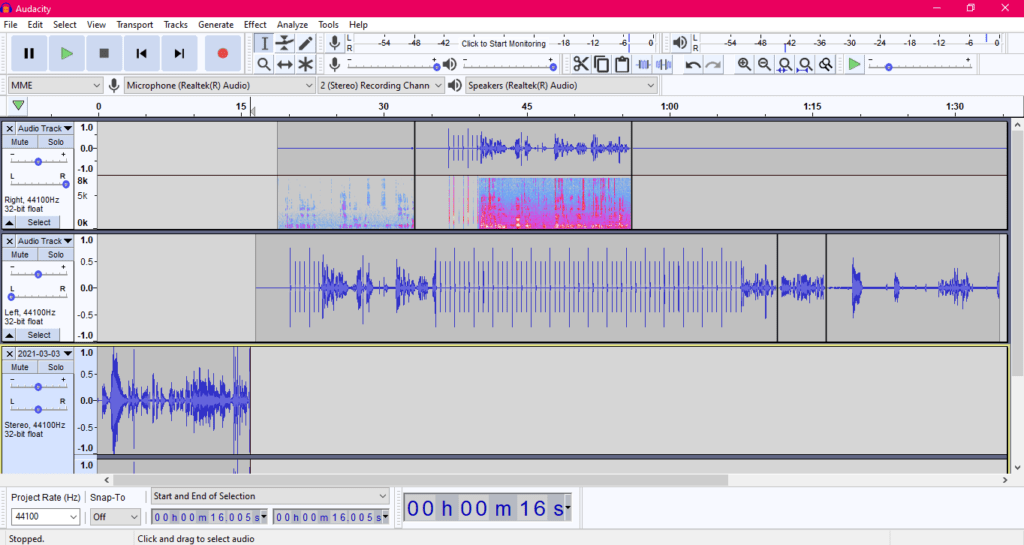
Audacity is the free open-source option that refuses to die. It’s still the starter DAW most beginner guides point at, Windows, Mac, Linux, zero cost. The 2024 releases added OpenVINO-powered AI effects (music separation, noise suppression, transcription) for users who install the plugin, which changed the value equation a lot.
Price: Free.
What’s good:
- Zero cost, zero lock-in. Saves uncompressed WAV by default.
- Built-in noise reduction and normalization are genuinely usable.
- OpenVINO AI plugins add transcription and music source separation for free.
- Truncate Silence and audio silence tools speed up manual edits.
Where it frustrates: The interface still looks like 2008. Multi-track recording isn’t enabled by default, you add tracks one at a time. No transcript-based editing, no cloud collaboration. Fine for solo audio work, painful for remote interviews.
2. Adobe Audition
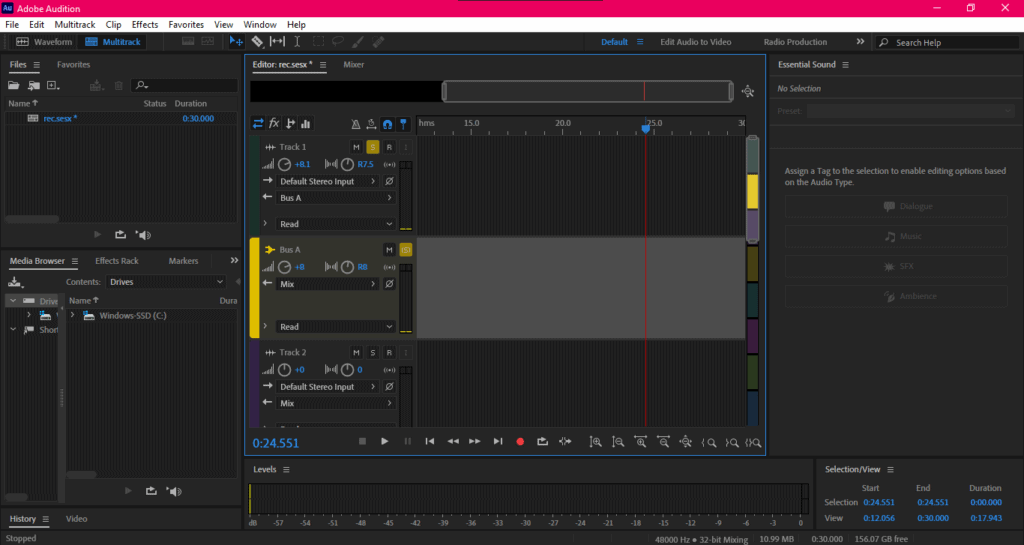
Audition is the full professional DAW. Multitrack editing, spectral frequency display, batch processing, podcast-specific voice processing plugins, and direct integration with Premiere Pro for video podcasts. It’s now also where Adobe’s AI speech enhancement lives as an in-app effect, same model as the free Adobe Podcast tool, but applied non-destructively.
Price: $22.99/month standalone, or included in Creative Cloud All Apps ($59.99/month).
What’s good:
- AI Enhance Speech effect restores bad-room recordings in-app.
- Batch processing for multi-episode shows saves real time.
- Multitrack ducking, EQ, and compression are broadcast-grade.
- Spectral editing catches clicks and clothing rustles visually.
Where it frustrates: Learning curve is steep if you don’t already know the Adobe interface. Subscription-only, no perpetual license. System requirements are heavy, older machines struggle. Overkill for a solo chat show.
3. Reaper
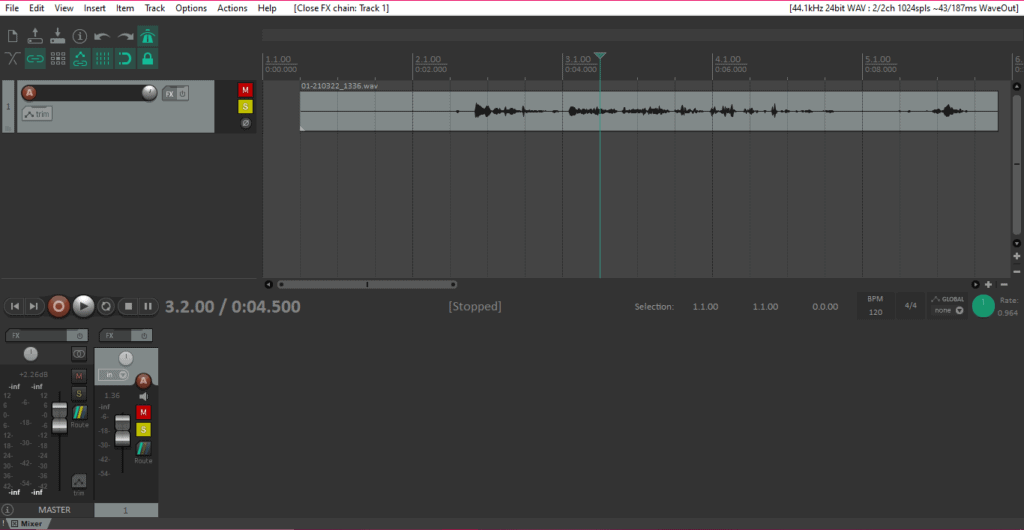
Reaper is the one-time-purchase DAW that won’t nickel-and-dime you. 60-day evaluation, then $60 for a personal/small-business license, $225 for commercial. Cross-platform, lightweight, extremely customizable, and with a plugin ecosystem that covers most AI audio effects you’d want.
Price: $60 one-time (personal/under $20K revenue), $225 commercial.
What’s good:
- Perpetual license, no subscription.
- Customizable to the point of being its own thing, once configured, it’s faster than Audition.
- Runs on modest hardware.
- Huge community of third-party scripts and plugins.
Where it frustrates: The default interface is intimidating. Zero hand-holding, you configure everything yourself. Docs are thorough but dense. Fine for engineers who like tinkering, not for “just record my podcast” users.
4. Hindenburg Pro
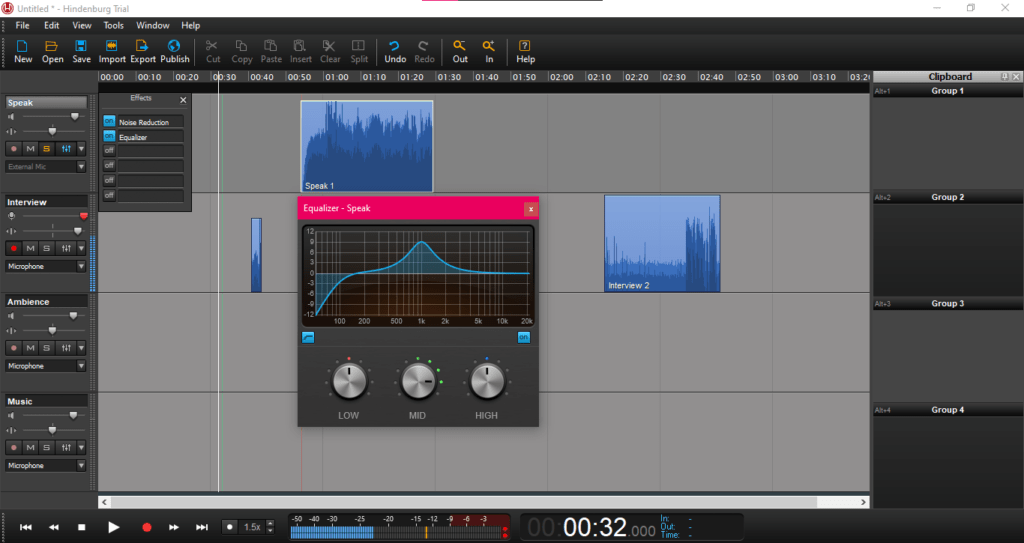
Hindenburg rebranded Journalist into “Pro” and consolidated its tiers. It’s still the DAW built specifically for spoken-word, narrative podcasts, journalism, radio docs. Auto-leveling, a clipboard to organize clips into a storyline, voice profiler for EQ, and direct publishing integrations.
Price: Hindenburg Pro from $8.25/month (personal) or $20/user/month (business). Perpetual licenses available separately.
What’s good:
- Auto-leveling handles the fundamentals without you touching a fader.
- Clipboard-based editing fits narrative storytelling workflows.
- Voice profiler gives consistent sound across episodes.
Where it frustrates: Based on public reviews, Hindenburg Pro lags on AI features compared to Descript or Adobe. No transcript-based editing. If your show is interview-heavy with heavy cleanup, the AI-native platforms above will get you there faster.
Mobile Podcast Recording Apps
Mobile-only podcasting is narrower than it was, Anchor is gone (Spotify discontinued creation tools in 2024, and inactive accounts are being deleted in April 2026). What’s left works fine for field recording or quick solo episodes, less well for a full production.
1. Spreaker
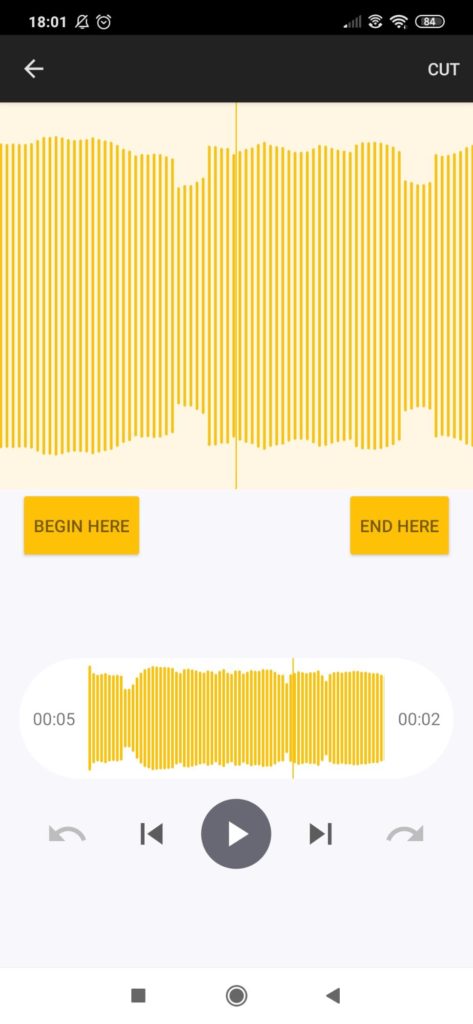
Spreaker records, broadcasts live, and hosts, the mobile app pairs with a full hosting platform. Channel volume mixing, sound effects library, live chat during broadcasts, and instant sharing to social.
Price: Free plan with 5 hours storage. Paid plans from $8/month.
What’s good:
- Live broadcast option is rare among podcast apps.
- Built-in sound effects library saves import hassle.
- Desktop and mobile sync, unlike some competitors.
Where it frustrates: The editor is thin, cut, join, that’s about it. No AI cleanup. Crashes reported in app store reviews. Free tier caps get hit fast.
2. Dolby On
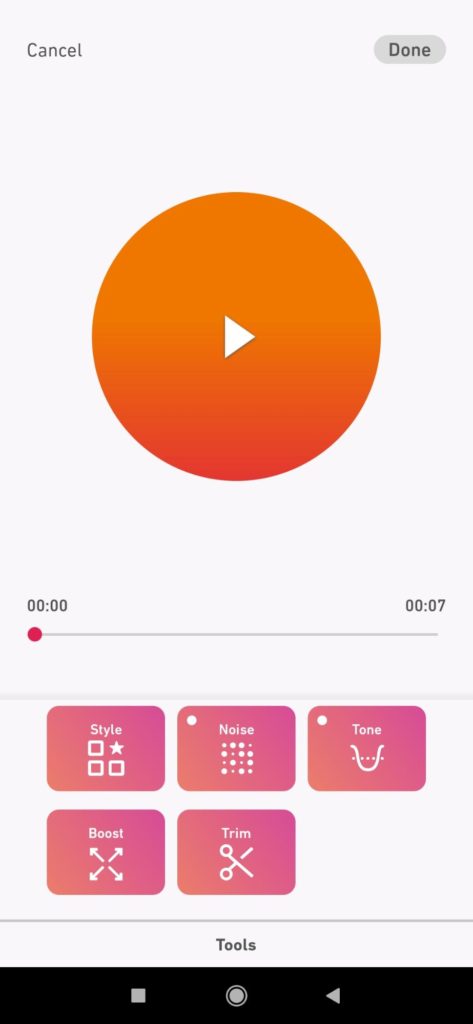
Dolby On is still the best mobile app for raw audio quality. Dynamic EQ, noise reduction, de-essing, compression, built in and applied in real time. It’s free, made by Dolby, and has never asked for a subscription.
Price: Free.
What’s good:
- Audio processing is genuinely Dolby-grade.
- YouTube live stream option for video podcasts.
- Export to Logic Pro, Ableton, Pro Tools, Bandlab.
Where it frustrates: No pause button, every take is one continuous recording. No echo/reverb tools. Can’t download processed recordings directly in some workflows. No stereo recording.
3. Riverside Mobile
Worth noting: Riverside’s mobile app lets guests join remote interviews from their phones with local-quality recording. If you’re recording interviews where a guest is traveling or only has their phone, this beats “record through Zoom and hope for the best.”
Price: Included with any Riverside plan, free tier works for short sessions.
What’s good: Same local-recording-and-progressive-upload approach as the desktop version. Guest-friendly, they just click a link and allow mic access.
Where it frustrates: Full editing happens on desktop, the mobile app is for capture, not post-production. Battery and storage pressure on long interviews.
Podcast Hosting & Post-Production Helpers
Recording is one piece. You still need somewhere to host the files and distribute to Apple, Spotify, etc. And even with AI-native tools, a dedicated post-production step often improves the result.
1. Buzzsprout
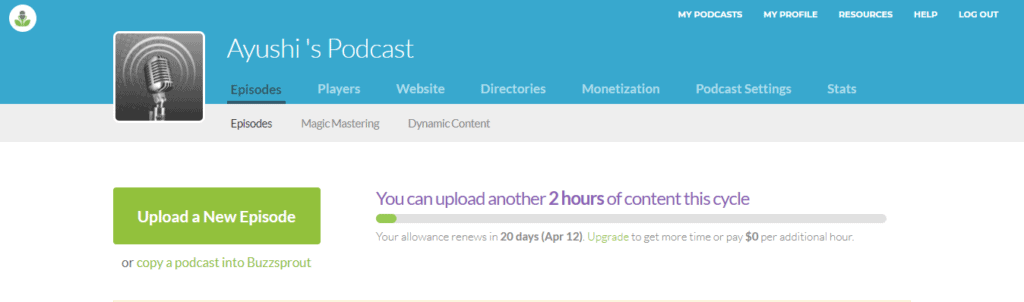
Buzzsprout is the hosting default for most indie podcasters. Directory submission to Apple, Spotify, Google Podcasts, iHeart, Amazon, a simple embedded player, sponsor tracking, and now AI-generated transcripts and show notes on higher tiers.
Price: Free plan with 2 hours/month (episodes deleted after 90 days). Paid from $12/month.
What’s good: Transfers files in any format. Optimized MP3 output saves bandwidth. Directory submission is one-click.
Where it frustrates: Free tier’s 90-day episode deletion is a trap for casual podcasters. Analytics are less granular than Spotify for Creators.
2. Auphonic
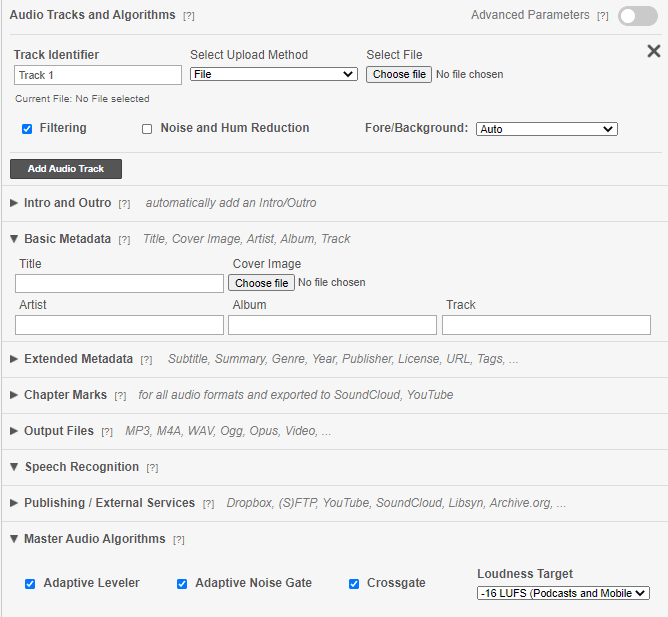
Auphonic was AI-first before “AI” was a marketing term. Upload a file, its algorithm separates voice from music, levels everything, filters noise, and returns a finished master. In 2026, it added speech recognition via multiple backends (Whisper, Google, Amazon, Speechmatics) for transcripts and automatic chapter marks.
Price: 2 hours/month free. Paid from $11/month for 9 hours.
What’s good: Auto-leveling and loudness normalization still beat most manual attempts. Metadata and chapter mark handling save time. Integrates with Libsyn, Buzzsprout, Dropbox for output.
Where it frustrates: Automated processing removes creative control, it misses intentional dynamics. Not a full editor, you can’t chop audio. Occasionally leaves in hums it should catch.
3. Alitu
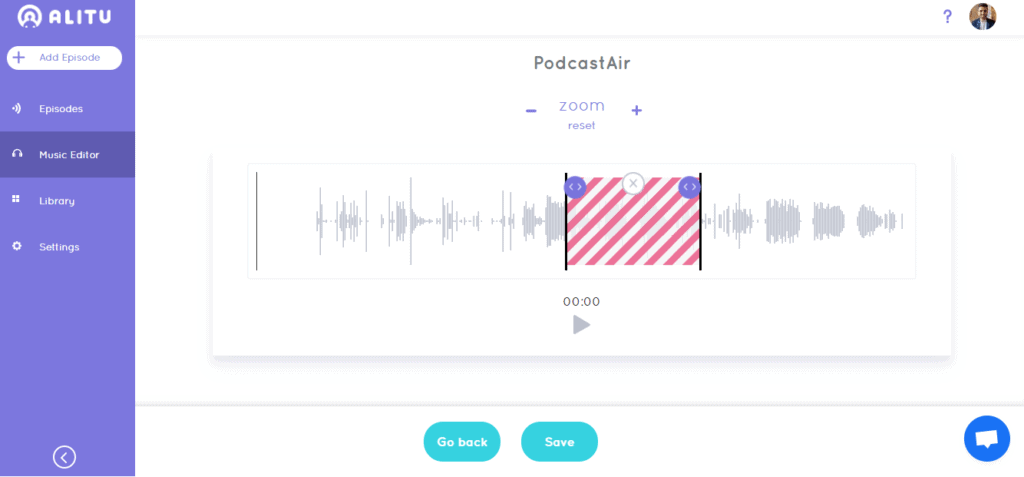
Alitu is the “podcast maker” for people who don’t want to learn a DAW. Upload a clip or record in-browser, Alitu cleans, levels, adds intro/outro music, and publishes to your host. Integrations with Buzzsprout, Libsyn, Podbean, Spreaker make distribution trivial.
Price: 7-day free trial. $38/month (up from $28 in 2021).
What’s good: Auto-leveling and cleanup are beginner-proof. Intro/outro segments generated automatically. Direct upload to major hosts.
Where it frustrates: Based on public reviews, editing flexibility is limited, single input setup, no multitrack. Price jumped notably since the last time I looked. If you want creative control, this isn’t the tool.
Which to Pick
If you record with remote guests, Riverside.fm is the default. If you want transcript-based editing and AI cleanup in one tool, Descript. If you already own an audio interface and want a professional DAW, Adobe Audition or Reaper. For free cleanup of any recording, Adobe Podcast Enhance Speech, and if you want filler words removed automatically, Cleanvoice AI on top of whatever you record in.
Sure, the list is longer than it used to be, but the AI-native tools have actually reduced the work, not added more. A solo show that used to take four hours of post now takes forty minutes. That’s the real 2026 shift: you still need one recorder, one host, and one cleanup pass, but AI has collapsed what used to sit between them.

Written by
Chintan Zalani
Hey, I’m Chintan, a creator and the founder of Elite Content Marketer. I make a living writing from cafes, traveling to mountains, and hopping across cities. Join me on this site to learn how you can make a living as a sustainable creator.
View Profile →Related Articles
AI Tools & Software
Best AI Visibility Tools 2026: 15 Trackers Compared
15 AI visibility tools compared, with prices checked on each vendor’s site: which AI engines every plan covers, cost per prompt, and API or MCP access.
Sep 28, 2026Read more →

AI Tools & Software
Best Lifetime AI Software Deals 2026
The AI lifetime deals worth buying on AppSumo, StackSocial and direct from vendors: 21 tools an AI assistant can drive through an MCP server or API, with prices, ratings and which ones to skip.
Sep 3, 2026Read more →

AI Tools & Software
Teachable Vs. Thinkific: Exhaustive Comparison
Thinkific and Teachable are consistently ranked among the best online course platforms on the first and second spots. But which one of them is better suited for your online education business requirements without breaking the bank? Let’s break down Teachable vs. Thinkific course platforms. Note: This article contains affiliate links. ... Read more
Apr 8, 2026Read more →