Want to conduct webinars but can’t make up your mind about which webinar software to go ahead with? You’ll get a detailed breakdown of the top tools in the market —EverWebinar vs. WebinarJam Vs. EasyWebinar — in this article.
EverWebinar vs WebinarJam vs EasyWebinar 2026: $1 Trials
 Written by Editorial Staff
Note: This article contains affiliate links. It means if you sign up using our link, then Elite Content Marketer earns a commission (at no extra cost to you). We only recommend products that we personally find valuable and enjoy. And we appreciate your support!
Let’s start with a quick comparison of these software:
EverWebinar Vs. WebinarJam Vs. EasyWebinar: Quick Table Comparison
|
Features |
WebinarJam |
EverWebinar |
EasyWebinar |
|
Live Webinars |
✓ |
❌ |
✓ |
|
Automated and Evergreen Webinars |
Via EverWebinar, bundled from Basic up |
✓ |
✓ |
|
Streaming Quality |
Delay in streaming | ||
|
Templates |
✓ |
✓ |
✓ |
|
Integrations |
Integrates with top CRMs. |
Lacks structured integrations |
Integrates with top CRMs. |
|
Analytics |
Basic |
Basic |
Actionable and in-depth analytics. |
|
Free Trial |
$1 for 14 days |
$1 for 14 days |
7 days free, or 14 days for $1 |
|
Interface |
Easy |
Easy |
Slightly complicated |
WebinarJam is best for conducting live webinars, but you’ll have to pair it up with EverWebinar to host automated and on-demand events as they are designed to work together. Its marketing features like one-click registrations, active offers, attractive landing pages with split testing, etc contribute to better conversions.
However, the analytics section is basic at best and lacks in-depth reports on different sections like those presented by other webinar software like GoToWebinar and EasyWebinar.
EverWebinar is only for hosting automated webinars and seamlessly integrates with WebinarJam for conducting live webinars. The registration process is smooth and easy however, sending notifications, integrations with other apps isn’t as structured.
EasyWebinar allows you to conduct both live and automated events with flexible scheduling options, attractive funnel pages, customizable email templates, and direct HD live streaming on Youtube and Facebook with no latency.
The analytics section is extremely detailed and you can further use Google Analytics and Facebook pixel for tracking. However, the navigation is relatively complicated and the database is confusing as it doesn’t display information even for the most common keywords like analytics.
EasyWebinar is the best overall software for conducting all kinds of events and in this post, you’ll see the difference between their interface, features, and pricing along with other alternatives that you can consider.
User Interface Of The Three Software
EasyWebinar’s interface is modern but clunky. On the other hand, WebinarJam and EverWebinar have sleek, simple, and professional dashboards.
WebinarJam & EverWebinar
The interface is light and intuitive with an overview of analytics on the dashboard and the option to switch between both the software. There is a seamless flow between the segments of creating a complete funnel in both cases and they also have an extensive database with in-depth articles to solve issues or questions related to the features.
WebinarJam’s team follows up constantly to give you tips and tricks for running successful webinars and to make sure you understand how to use the platform to its full potential.
EasyWebinar
EasyWebinar’s interface is attractive but slightly clunky as it is packed features making the experience complicated and confusing. It may take a little while to get used to it and once you are familiar with it, you’ll be able to flesh out webinars within no time.
Noteworthy Features of WebinarJam, EverWebinar and EasyWebinar
All three webinar software are loaded with features, but, I’ve combined the key functionalities that these tools offer. Let’s look at them one by one.
WebinarJam
Attractive Funnel Pages
You can choose from more than 15 mobile-responsive templates and customize each one of them by playing around with the text color, font style, background image, etc, but you cannot change the placement of elements and that restricts customization.
It’s also possible to perform A/B testing of landing pages however, not as robust as dedicated landing page software like Landingi, Leadpages, Clickfunnels, etc.
Active Offers
Webinarjam’s Active Offers allow you to sell products by presenting buy links now. This can be done during full configuration or even on the go while you’re live. You can also create urgency and scarcity to your offer to increase your sales.
Manage Backend with Control Centre
The Control Center is aimed at large teams and now appears on all four plans, with the logistics of a session — chat, revenue, sales, duration — gathered in one place. One of your team members can manage the backend and re-invite the registrants who left in the middle or didn’t attend the webinar while you can focus on your presentation.
One-Click Registrations
Previous or regular attendees don’t have to spend time on registration, and being on your auto-responder mailing list they can directly click on the link generated by you and register for the webinar.
However, getting quality leads is more important and such a feature may obstruct that from happening as people can accidentally click on the registration link without being interested in your webinar. This makes one-click registrations a double-edged sword.
Try WebinarJam by clicking here.
EverWebinar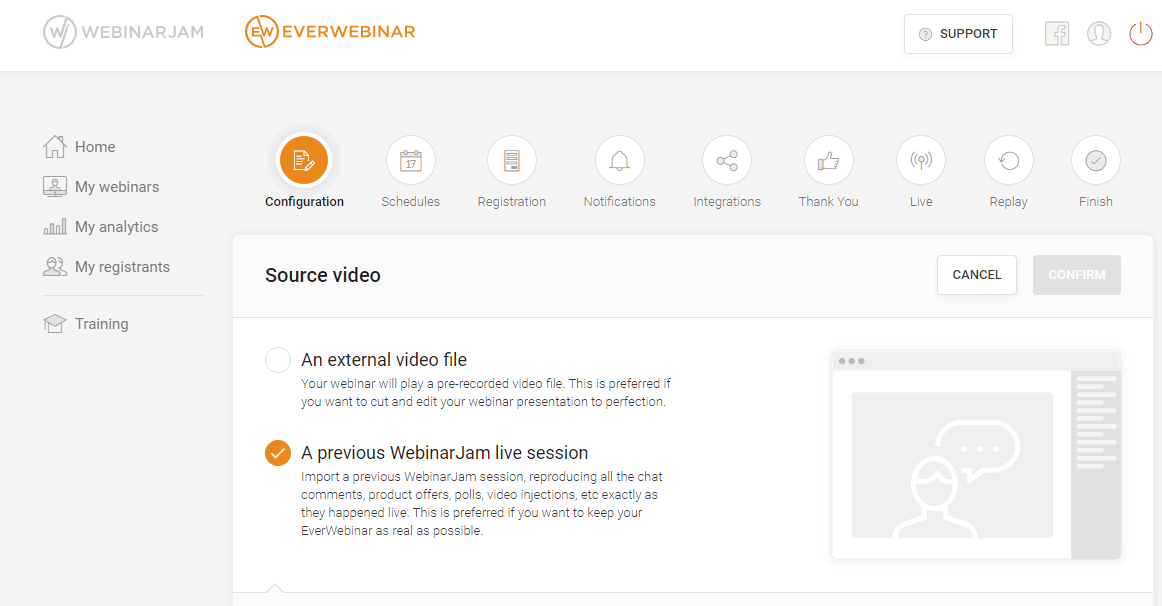
EverWebinar is only for hosting automated webinars and seamlessly integrates with WebinarJam for conducting live webinars. The registration process is smooth and easy however, sending notifications, integrations with other apps isn’t as structured. Let’s look at its features.
Set-up Dynamic Attendee Number
Everwebinar gives you the option to simulate the environment to make it seem like there are many attendees in the room at the same time. If you want to make it appear that there are always 500 attendees in the event, you can set up the attendee number in advance and it’ll display that to attendees.
Customizable Funnel Page Designs
There are various attractive editable templates available for the registration page as well as the form that lets you play around with the color, image, background, fonts, add CTA, etc. Much like in WebinarJam, you can split test the registration page templates and understand how and if at all it has any effect on conversions.
You cannot add custom form fields, but you can password protect your event to make it private.
Connect To WebinarJam for Live Events
Everwebinar is only made for automated and on-demand webinars but because WebinarJam and Everwebinar are designed to use together, there’s a seamless integration between the two available at different prices.
You can subscribe to both software, host live events on WebinarJam, and upload it on Everwebinar to convert it into evergreen or an automated webinar. Getting a clean recording of that live session in the first place matters just as much as the automation layer — see our roundup of the best webinar recording software for tools built specifically for that job.
Advanced Scheduling System and Just-in-time Webinars
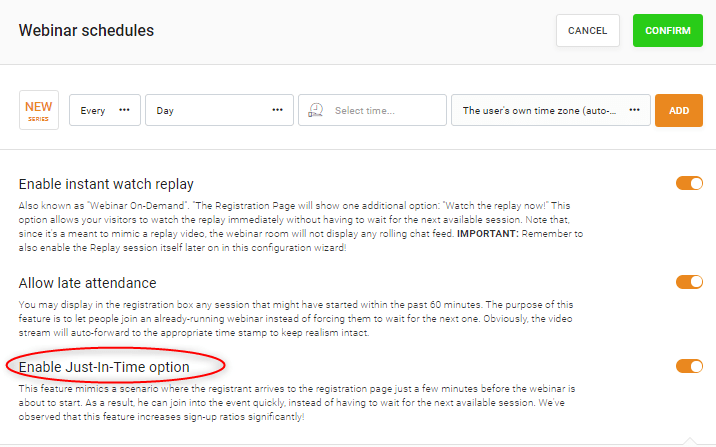
The flexible scheduling options let you organize weekly, monthly, or daily webinars with automatic time conversion for registrants. You can enable instant watch replay and it’ll create an on-demand webinar that your visitors can watch without having to wait for the next session.
It’s also possible to allow registrants to join an already running webinar without making them wait for the next session. However, this feature isn’t useful because it’ll auto-forward to the appropriate time stamp to make it look live.
The Just-In-Time feature allows the registrant to join the webinar even if they arrive on the page a few minutes before the event is scheduled to begin and they can watch the event as they register.
Product Offers and Live Sale Alerts
Just like in WebinarJam, you can set up offers and live sale alerts to notify attendees via popups on the screen and create urgency by adding a countdown timer. You can also show the attendees live sale alerts as and when people make purchases in the webinar room which may encourage them to buy the product.
Try EverWebinar by clicking here.
EasyWebinar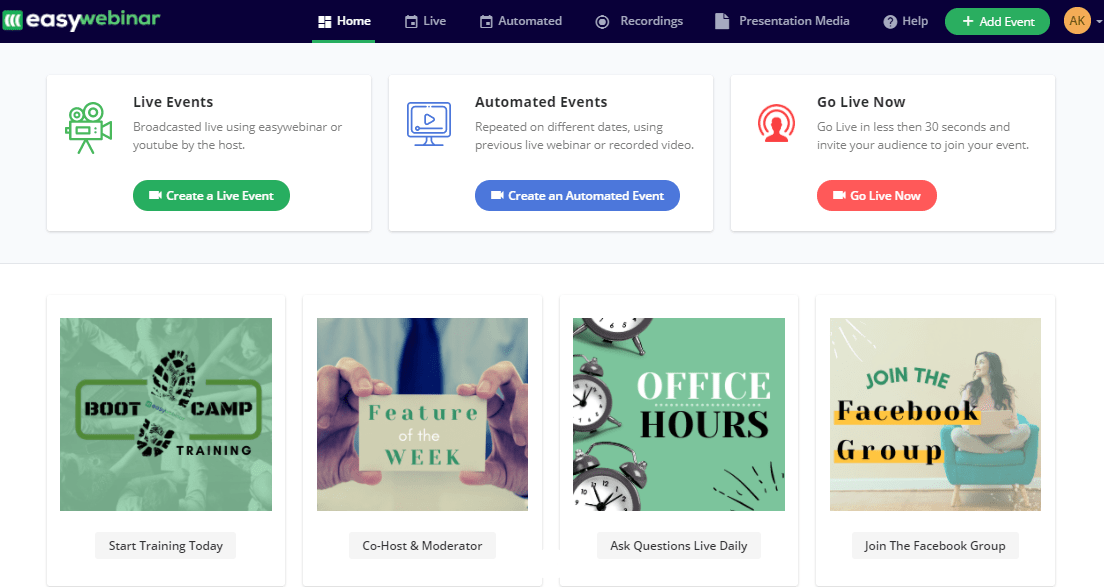
Actionable Analytics and Tracking
EasyWebinar has the most robust and actionable analytics that not only gives you an insight into attendance trends but also tells the number of minutes each person watched the webinar. But, you will only have access to it in the window of that event and not on the dashboard.
The software uses Google Analytics for UTM parameter tracking of every and any link you generate for our webinar. You can also use tracking codes like Facebook pixels and other social proof applications.
Nine scheduling options
There are 9 different types of webinars available like One-time live events, Recurring weekly live events, Automated one-time events in the one-time zone, right-on-time events, and more, that put EasyWebinar ahead of the competition.
You can choose to redirect the attendees to the replay page or show the next session available on the registration page by using the flexible scheduling options.
Attractive Funnel pages and Notification mails
The customization of funnel pages like the registration page, thank you page, event page, confirmation page, and replay page have multiple templates and the option of embedding CSS that gives you full control over the design. However, it still isn’t a match for dedicated landing pages like Landingi and Leadpages.
There are 9 different types of fully customizable email templates that you can use to send before and follow-up notifications and you won’t find such a feature in both competitor webinar software. 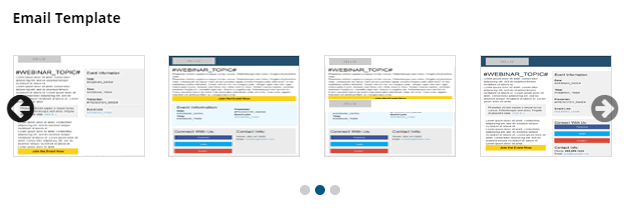
HD Live Streaming with Youtube and Facebook Integration
The audio and video quality of the webinars is relatively better compared to the other two software because of Easywebinar’s Live Engine feature that doesn’t lag or delay the interaction.
With direct integration to Youtube and Facebook, you can live stream events to an unlimited number of attendees, add multiple cameras and complex equipment for production.
EasyWebinar also integrates with Wirecast so you can stream live conferences with even 1000 participants to people across the world.
Complicated Navigation
EasyWebinar contradicts its name as you will have to constantly reach their customer service or database to understand navigation and features. However, their live chat support is quick and helpful.
Try EasyWebinar by clicking here.
Customer Support Comparison
I have clubbed Webinarjam and EverWebinar together in this section as both the tools have the same customer support and database service.
WebinarJam & EverWebinar
WebinarJam doesn’t have the best customer support with no live chat option and their email response can take anywhere between 24 hours to five days for them to get back to you.
That said, there’s a knowledge base called DocumentWiki to help you navigate and solve problems related to almost every aspect of WebinarJam. They also provide training via videos to help you understand all its advanced features.
But these videos aren’t the first thing to pop up when you log in. You have to find them under the training section available on the dashboard.
WebinarJam’s Facebook community is the place to connect with users facing similar or different issues. It’s a private forum for members to connect and share information. 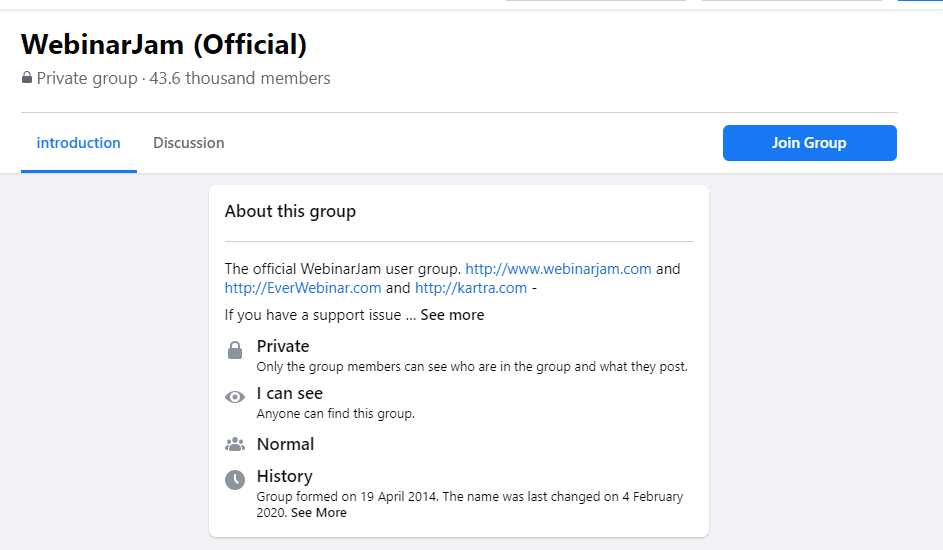
EasyWebinar
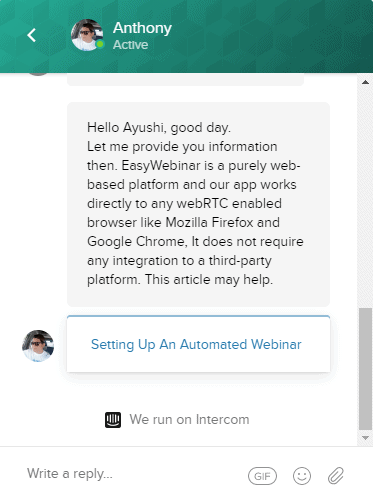
I had to wait for merely 15 minutes to get my query solved by a customer care representative. You can get answers on the live chat as well as your email.
Unfortunately, their article database is confusing and doesn’t display information even for the most common keywords like analytics. You will have to dig deeper and spend a lot of time figuring out the particular document.
EasyWebinar also has a private Facebook community group for its members to discuss, connect and share information.
Additionally, each section of the funnel has a video tutorial to help you understand the features and how you can make use of them.
Pricing Plans
Here’s how much the three software will cost you individually.
WebinarJam Pricing
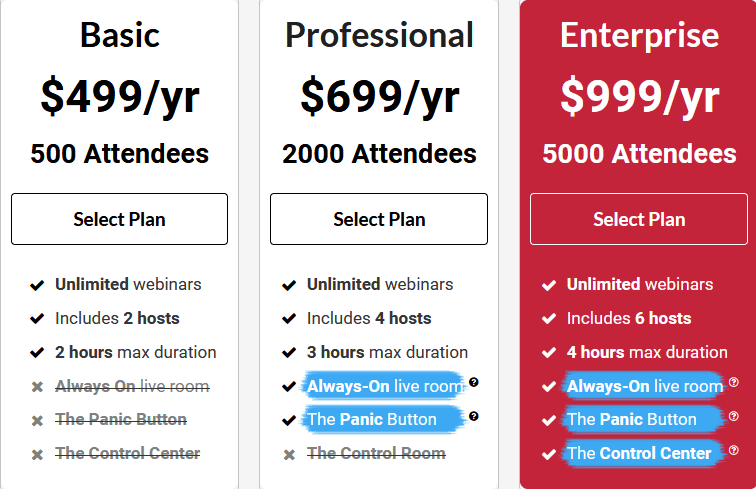
WebinarJam runs four plans, each with unlimited webinars. They differ in the number of attendees, the number of presenters, and how long a single session can run. Prices below were re-checked on 17 September 2026.
- Starter: $49/month, or $39/month billed annually ($468/year) — 100 attendees, 1 host, 1 hour maximum
- Basic: $99/month, or $79/month billed annually ($948/year) — 500 attendees, 2 hosts, 2 hours
- Professional: $299/month, or $229/month billed annually ($2,748/year) — 2,000 attendees, 4 hosts, 3 hours
- Enterprise: $499/month, or $379/month billed annually ($4,548/year) — 5,000 attendees, 6 hosts, 4 hours
Monthly billing is available on every plan now, and annual billing knocks 20% off the two cheaper tiers and up to 24% off Enterprise. There is no free plan: the way in is a 14-day trial for $1, which runs on any plan and either billing cycle, backed by a 30-day money-back guarantee once you buy. EverWebinar is bundled free with Basic, Professional and Enterprise — Starter is the one plan that leaves it out.
Basic is the plan most first-time hosts should look at: 500 attendees, two presenters, two-hour sessions, and EverWebinar included. Starter is cheaper but tight — 100 attendees, one host, a one-hour cap, and no EverWebinar.
At $99 a month, Basic carries 500 attendees where Demio’s cheapest plan still caps the room at 50 — more headroom than a first-time presenter is likely to fill.
Professional runs three-hour sessions with 2,000 attendees and 4 hosts. The always-on live room and the panic button, once selling points of the upper tiers, are listed on every plan now — the always-on room is the one worth having if you run back-to-back webinars.
Enterprise adds no feature the cheaper plans lack — it buys headroom: 5,000 attendees, six hosts and four-hour sessions. Worth it only if you genuinely fill a room that size.
EverWebinar Pricing
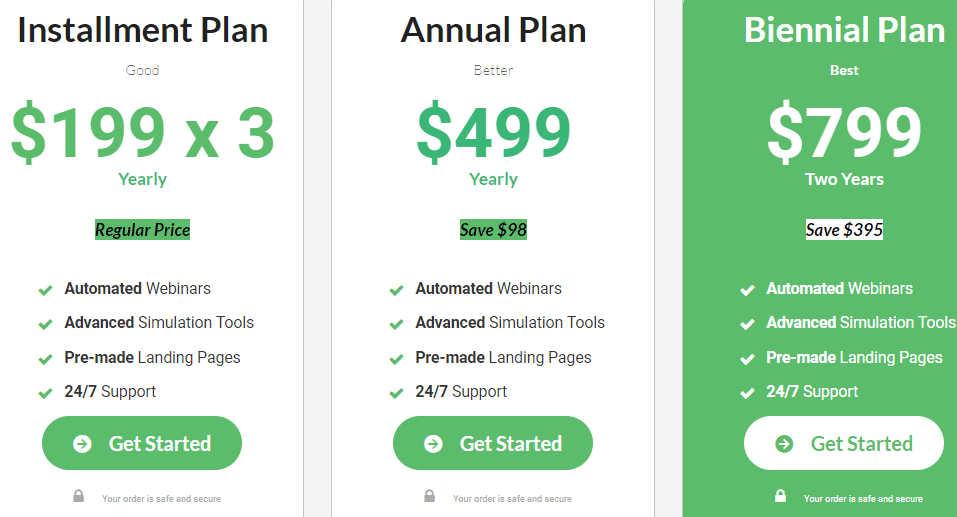
EverWebinar’s pricing works differently from the rest: one product with every feature included, no tiers, and a price that drops the longer you commit.
- Monthly: $199/month
- Annual: $99/month, charged $1,188 up front
- Two-year: $79/month, charged $1,896 up front
Every option gives you the same thing: automated webinars, advanced simulation tools, pre-made landing pages, flexible scheduling, clickable offers, an email and SMS system, polls, surveys, dynamic attendee display and analytics. There is a $1 trial for 14 days here too, which rolls into $199 a month unless you cancel first, plus the same 30-day money-back guarantee. Worth knowing before you buy it separately: EverWebinar comes free with WebinarJam’s Basic plan and above.
EasyWebinar Pricing
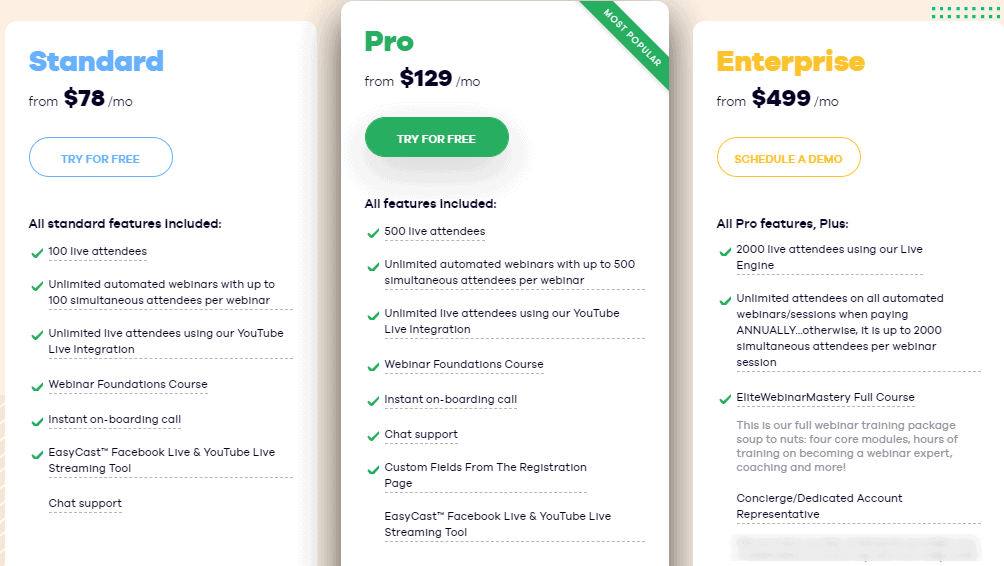
EasyWebinar rebuilt its plans since we first published this comparison. There are four published tiers plus an enterprise option. The pricing page offers a seven-day full-access trial, while a separate page of theirs sells 14 days of the same full access for $1.
- Launch: $44/month, or $36/month billed annually — 50 live attendees, no automated webinars
- Growth: $116/month, or $96/month annually — 200 live and 1,000 automated attendees, the first tier with automation
- Pro: $198/month, or $165/month annually — 500 live and 2,500 automated
- Scale: $349/month, or $291/month annually — 1,000 live and 5,000 automated
- Enterprise: priced on request, up to 100,000 live attendees
Automated webinars are not on every plan any more: Launch is live-only, and Growth caps automation at ten automated webinars a month. Chat support, Easycast streaming, the webinar foundation course and an onboarding call come with the paid plans.
The difference lies in the number of attendees, custom registration fields (available in the higher plans), and extra courses with account representatives that are available only in the Enterprise plan.
Annual billing is advertised as two months free.
Webinar Software Alternatives
If none of the above webinar software fits your requirement or budget, here are some other good options to consider.
Demio
Demio has a no-download webinar experience for your audience with extensive marketing tools. While the customer support and simple UI will impress you, the absence of email customization, follow-up messages, and replay stripped of animations can frustrate you to no end.
This webinar software sells itself on marketing, but against its contemporaries it falls short on several counts. Pricing starts at $63/month, or $45/month billed annually, for a single host and a 50-seat room — still the smallest entry room of any tool here — and there is a 14-day free trial capped at 20 attendees and one hour.
Pros:
- It is easy to use with a simple UI
- You don’t have to download any additional software to run webinars.
- There are multiple audience interaction features like
- You can connect with live customer support to solve your queries.
- They have customizable sign-up landing pages with the availability of video embeds addition
- Demio integrates with powerful software like Zapier, Convertkit, etc
Cons:
- There is no general link available instead, there’s a separate link for each attendee.
- You cannot use more than 3 webcams at once and it could be a problem while holding a conference or panel discussion.
- Webinar replays don’t have annotations, chats, and polls.
- The software lags and has bandwidth issues when accommodating over 100 attendees.
GoToWebinar
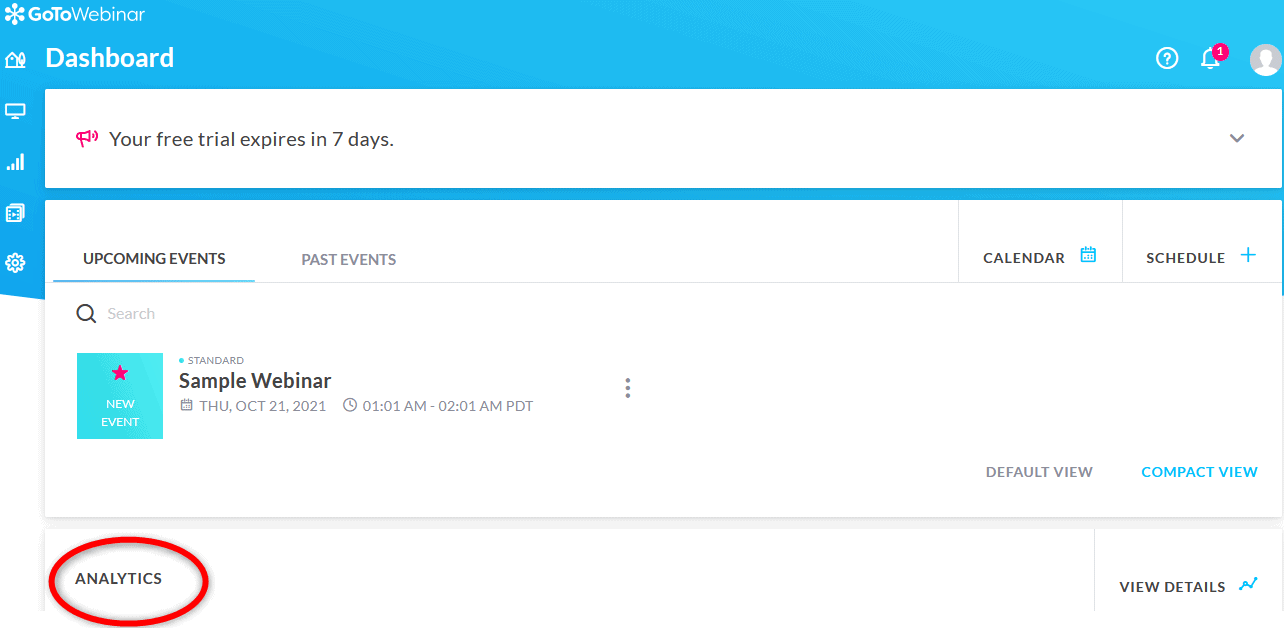
GoToWebinar is a reliable way to run recurring webinars for a large audience without downtime, and it suits big teams. You can see high-level summary statistics for all your webinar sessions divided into actionable reports on 8 sections like sessions overview, engagement, multi-session attendee, and more.
However, it misses out on the UI which is dull and outmoded. There’s a lack of marketing features like active offers, attractive templates, SMS notifications, and more. Though the technical glitches are rare, there is no live customer support to assist you through it. Here’s an overview of GoToWebinar :
Pros:
- Its built-in analytics gives access to extensive attendee data and attendance trends
- You can customize the registration pages for branding by adding your logo and feature image
- Scheduling options like webcasts, on-demand, and standard webinars are available.
- The video and audio are in HD quality.
- It is a reliable platform, and the trial needs no card — though GoTo advertises it as 7 days on one page and 30 on another. Pricing runs $69/month for Reach (up to 500 participants), or $59/month billed annually, and $129/month for Elevate (up to 1,000), or $103/month annually
Cons:
- The user interface looks dated.
- It lacks marketing features like one-click registrations, active offer features for sales, etc.
- The email notifications have limited customization options.
- It is relatively expensive.
- There is an absence of live customer support and a lack of documentation in its knowledge base.
Price: two published plans plus an enterprise tier sold on request, and a free trial that needs no card — GoTo’s own pages call it 7 days in one place and 30 in another.
- Reach: $69/month, or $59/month billed annually ($708/year) — up to 500 participants
- Elevate: $129/month, or $103/month annually ($1,236/year) — up to 1,000 participants
- Complete: priced on request — up to 3,000 participants
Final Verdict
While EverWebinar is the best for automated events, you will have to combine it with WebinarJam to run live sessions at an additional cost. EasyWebinar on the other hand offers both live and automated events with 9 scheduling options, no latency, and a powerful analytics section.
If you are a SaaS company looking to educate customers, an entrepreneur offering professional services, or an educator offering the same course to multiple students, automated webinars would fit well within your requirement and you can do that with EverWebinar.
Conversely, if you are a blogger, a B2B organization, or an entrepreneur looking to engage with your audience you may want to have both options. EasyWebinar will help you do that at a relatively very low price than WebinarJam and EverWebinar combined.
Written by
Editorial Staff
The Editorial Staff represents the writers, editors, and content creators who have worked (or work) at Elite Content Marketer. The experimenter-in-chief behind the team is Chintan Zalani, who has close to a decade of experience trying to make sense of the content marketing industry. Started in 2019, Elite Content Marketer is on a mission to help creators build sustainable businesses.