
Snagit Free Trial 2026: 15 Days, No Card, Then $39/Year
 Editorial StaffLast updated: October 26, 2026
Get The Best TechSmith Snagit Deal
The Snagit free trial gives you the full app for 15 days with no credit card. You create a TechSmith account after the download, and TechSmith lets you reset the trial once for another 15 days. After that, Snagit Individual costs $39 a year in the US, plus sales tax.
Some links on this page are affiliate links. If you purchase through them, I earn a small commission at no extra cost to you. I only recommend tools I've personally used or thoroughly evaluated.
Two ways to start with Snagit
Both go through TechSmith's site. The trial costs nothing and asks for no card. The subscription is what you buy once Snagit has earned a place in your workflow.
Snagit 15-day free trial
15 days, no credit card
Full Snagit for Windows or Mac. Download first, then create a TechSmith account to start the trial.
- After
- Nothing bills automatically; Snagit Individual is $39/year if you keep it
Snagit Individual
Buy any time, with or without the trial
One yearly subscription, always on the current version. Personal subscriptions are non-transferable.
- After
- $39/year, renews at $39/year, plus US sales tax
The trial license covers one computer and evaluation only. TechSmith's terms rule out commercial use during the trial, so screenshots for client work should wait for the paid version.
Best Current Deal
15-day free trial, no card — The full Snagit app for Windows or Mac with every feature switched on. TechSmith's pages showed no coupon code on 26 October 2026, so the trial is the free way in.
✓ No card on file, so nothing bills when the trial ends
What TechSmith Snagit Does
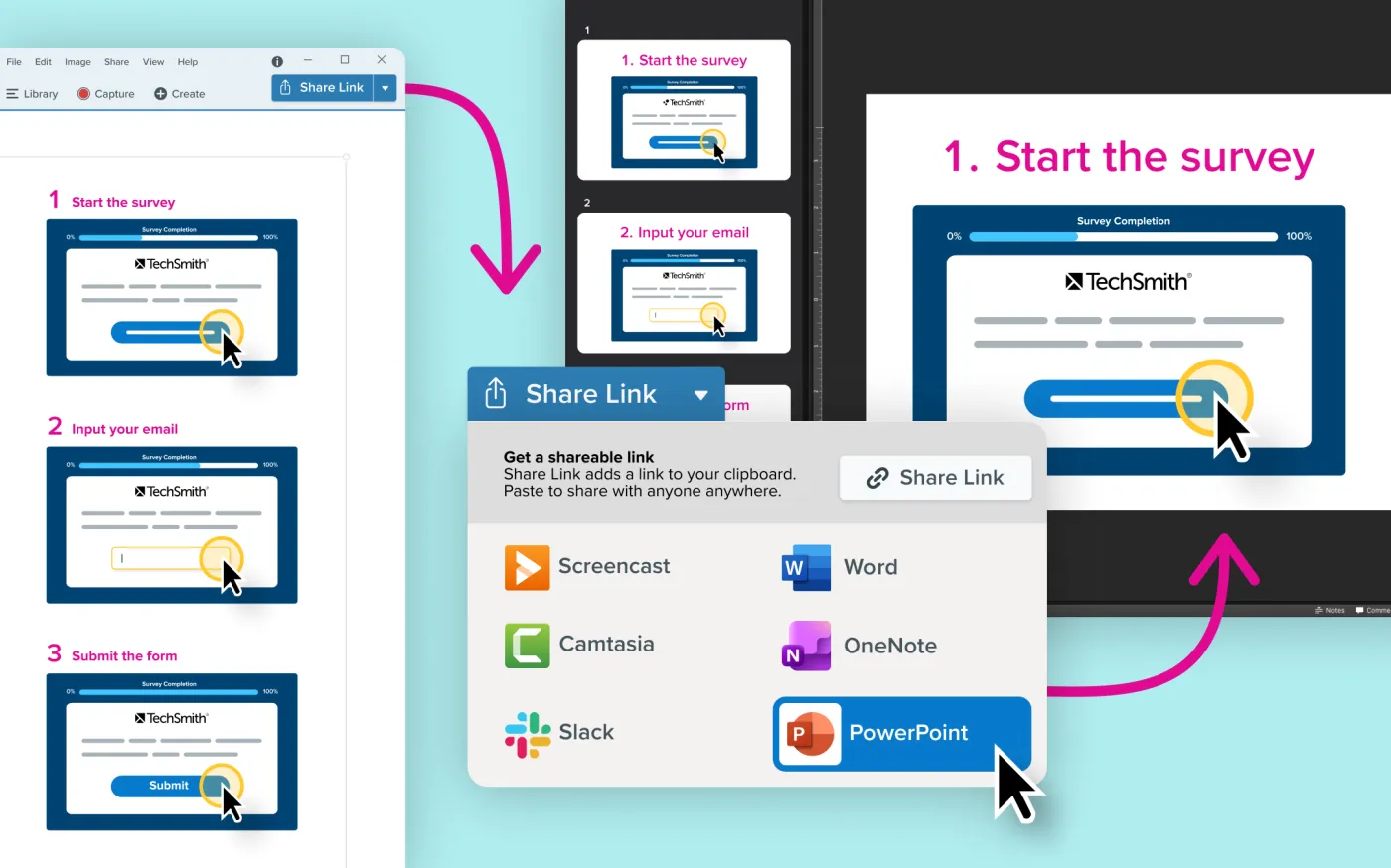
Snagit is TechSmith's screen capture app. For a content marketer it covers the screenshots that go into blog posts and help docs: window grabs, scrolling captures of long pages, short screen recordings, templates, and markup with arrows, callouts and blur. The snagit free trial is the full version, so the tools you test are the ones you'd pay for.
The search results I pulled for this term on 26 October 2026, Google's AI summary included, described Snagit as a one-time purchase. TechSmith's own store sells Snagit Individual as a yearly subscription. TechSmith's own store, checked on 26 October 2026 with the country set to US, sells Snagit Individual as a yearly subscription at $39 that renews at $39 and always runs the current version. Past the trial, TechSmith's pages list no free version.
Pricing
| Plan | Trial | Price | Renews |
|---|---|---|---|
| Snagit Individual | 15 days, no card | $39/year | $39/year |
| Premium Snagit Assets (add-on) | n/a | $49.99/year | Yearly |
| Screencast Pro (add-on) | n/a | $99.99/year | Yearly |
| Camtasia bundles | Includes Snagit | See our Camtasia page | See our Camtasia page |
US prices from TechSmith's store checkout with the country set to US, 26 October 2026. Sales tax is added where it applies. A Snagit Individual subscription is non-transferable and always runs the current version. The two add-ons are optional and billed on top of Snagit, and TechSmith's store says every Camtasia plan includes Snagit.
How to reset the Snagit trial for 15 more days
TechSmith's support article on the trial allows one reset. When the 15 days run out, open Snagit, click Enter Software Key on the expired-trial window, type RESET in the key field, and click the button beneath the key field, then Continue Trial on Windows. You get 15 more days.
If that button is grayed out, the trial has already been reset once. At that point the next step is buying Snagit Individual at $39 a year.
Snagit isn't free past the trial. TechSmith's store sells it as a yearly subscription, and the trial license is for evaluation on a single computer, with commercial use ruled out.
TechSmith's download page, its support article on the trial and its store checkout showed no Snagit coupon code on 26 October 2026. No code appeared on TechSmith's own pages on 26 October 2026. If you also edit video, every Camtasia plan includes Snagit, and our Camtasia coupon page has those prices. ScreenPal and Loom are the other screen recorders we review.
How to Get This Deal
- Download from TechSmith — Use the button on this page to reach TechSmith's download page, then pick the Windows or Mac installer. No credit card is asked for.
- Create a TechSmith account — TechSmith asks for an account after the download. Use an email you check, because TechSmith sends getting-started emails there, and you can ask for an emailed download link if you'd rather install later.
- Install, sign in and capture real work — Run the installer, open Snagit and sign in to start the trial. Capture sample pages and documents to evaluate it, since the trial license is for evaluation only, so the 15 days test your own workflow.
- Decide before day 15 — Note the end date. Buy Snagit Individual at $39 a year to keep going, or use the one reset for 15 more days.
Quick Take
Pros:
- 15 days of the full app with no credit card, so nothing bills if you walk away
- TechSmith allows one reset, which stretches the free period to 30 days
- $39 a year is a low price for a capture tool you'd open every day
- The subscription always runs the current version of Snagit
Cons:
- Snagit is a yearly subscription now, which is what TechSmith's store sells today, whatever older pages say
- The trial license rules out commercial use, so client work waits for the paid version
- Premium Snagit Assets and Screencast Pro cost extra, at $49.99 and $99.99 a year
FAQ
Curated by

Editorial Staff
The editorial team at Elite Content Marketer researches and evaluates AI tools for content marketers. We verify deals, compare pricing, and keep this page updated so you don't have to.